Syft for students
Know exactly what you’re submitting.
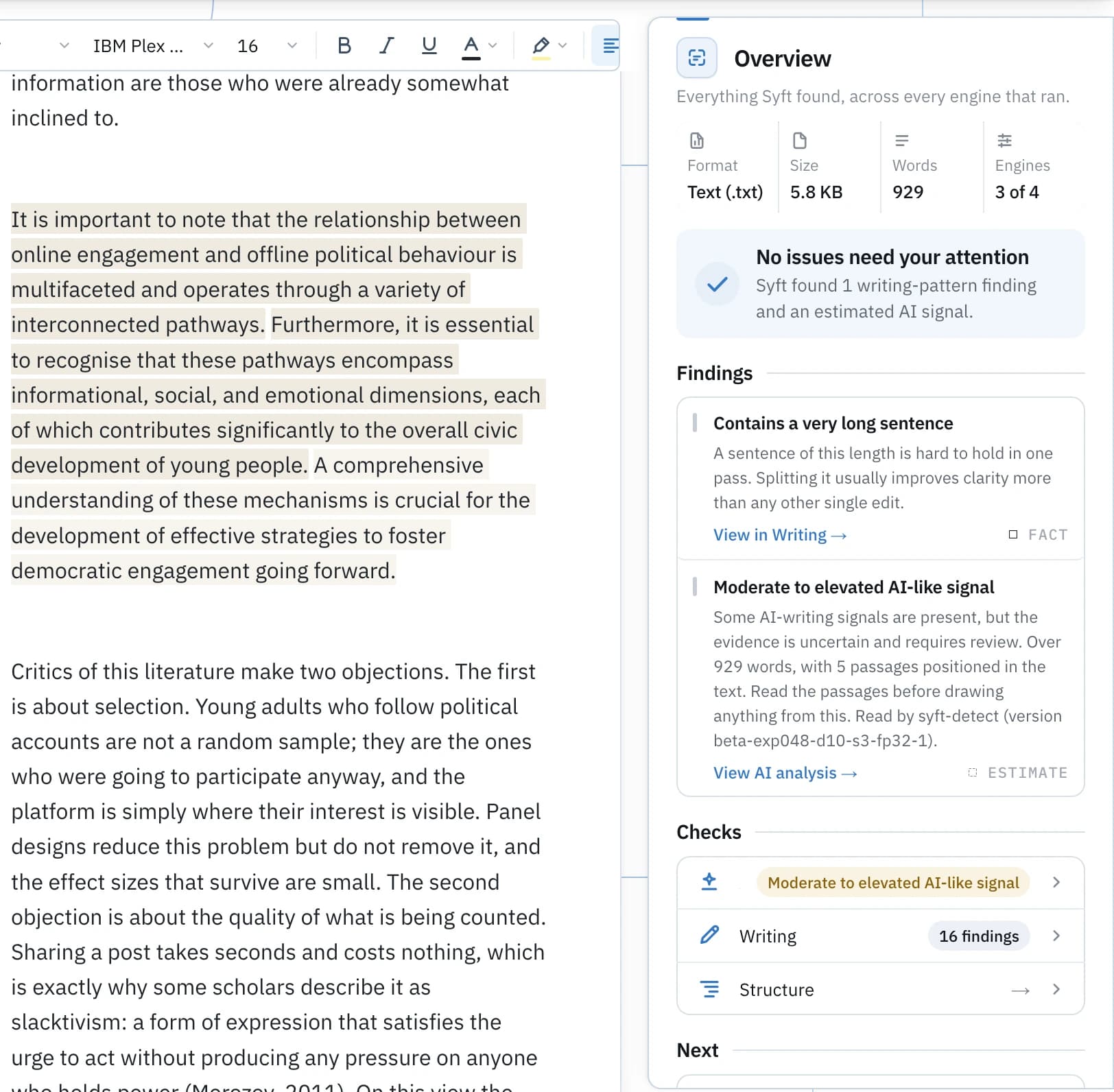
Read your own draft the way a reader with a detector would: the passages that carry AI-writing signals and the pattern behind each one, how the writing sits against your own academic voice, and what the file itself records about how it was made. Work you can stand behind, because you have already seen all of it.
Check my draft
Paste your draft. Syft marks the passages that carry AI-writing signals and names the pattern behind each one. It reads the writing in front of it; it does not predict what any other detector will report.
0 words · 0 characters
Free analysis. A free account is needed to view and save the result. Your text is encrypted while it waits and is deleted if you don’t open it.
Syft AI
Ready when you are.
Paste at least 120 words for a meaningful estimate.
- The same Syft AI analysis, on every plan
- Passage-level evidence, not just a number
- Free account to view and keep the result
Before you submit
A band tells you to look. The passages tell you where.
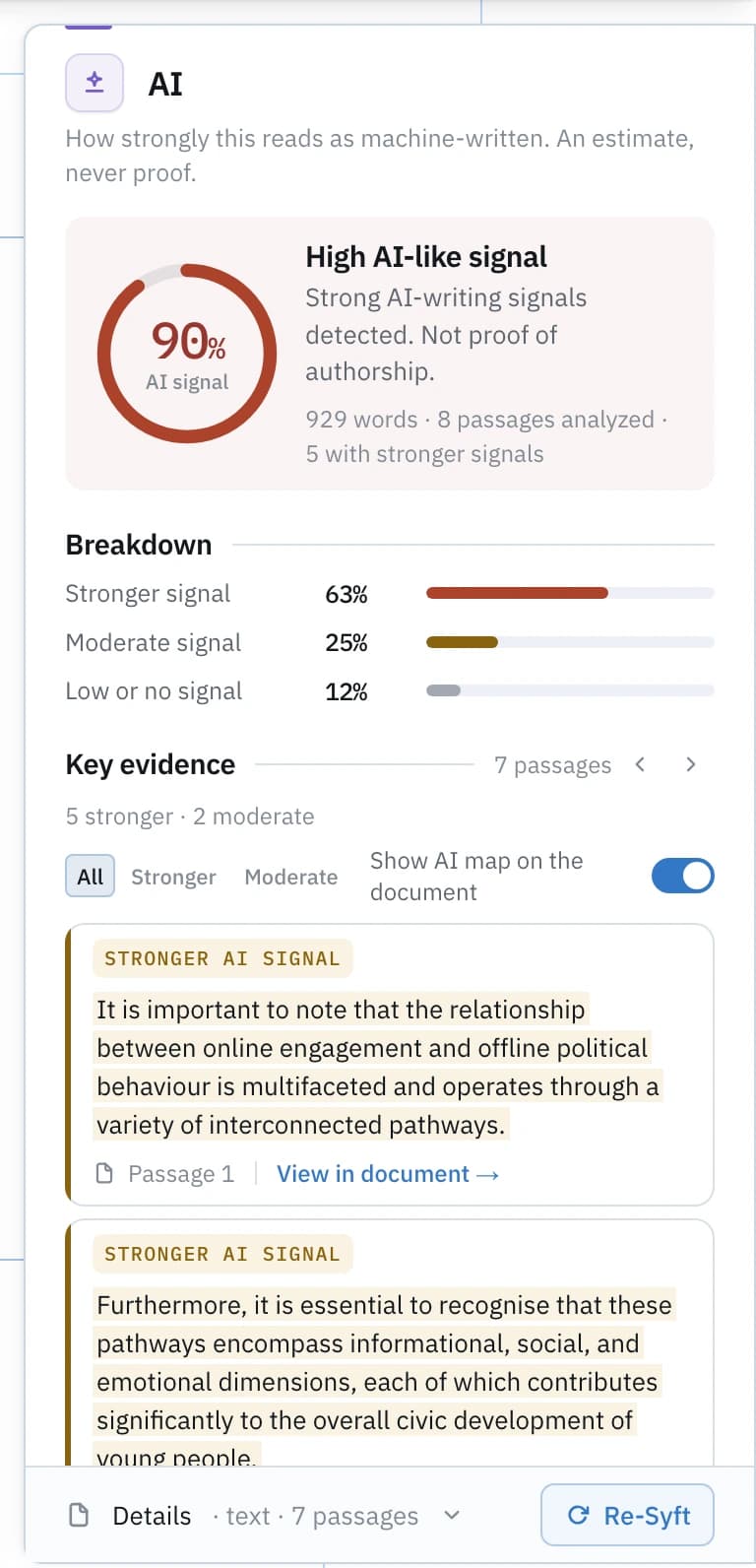
Syft Detect runs on every scan. It reports a signal band for the whole draft and marks the passages carrying AI-writing signals, with the pattern behind each one.
A signal band for the whole draft
A 0–100 signal index with the band behind it — Low, Moderate / elevated, High, or Insufficient when there is too little text to read. The index measures how strongly the writing carries AI-like signals. It is not a probability that AI wrote the text, and never an accuracy claim.
Every marked passage, on your own text
The sentences carrying the signal, highlighted where they sit, each with the writing pattern Syft responded to named in plain language. Generic framing and summary read differently from your own specific claims, and you are the one who can tell.
What the reading is built for
Syft Detect is built for essay-like and academic prose in English. Lists, bibliographies, quoted blocks, code and very short texts get no reading rather than a poor one.
A detector result is not proof of authorship. It is a reading of the writing, in either direction, and the passages are there so you can weigh it with your own judgement.
How Syft reads AI signals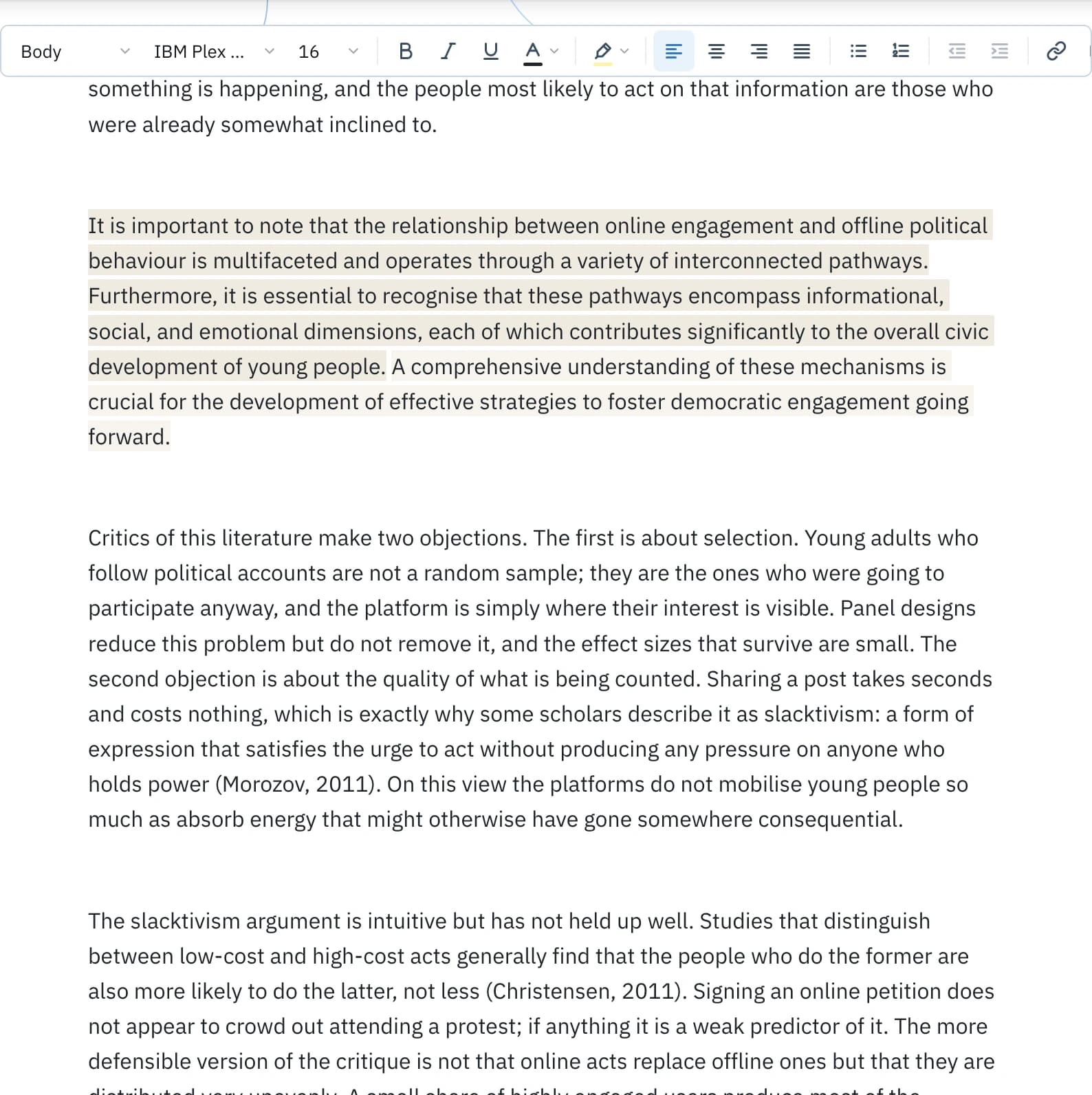
Make it yours
Revise it until it reads like you meant it.
Three separate tools, and all three are proposals you review one at a time. Nothing is written until you accept, and accepting writes a new copy, so the draft you started from stays exactly as it is.
Humanize
Make wording read more naturally while preserving meaning, facts, names and citations. A writing tool — not a way to defeat detectors.
Improve
Clarity edits from Syft's writing measurements: over-long sentences, heavy signposting, filler. Reviewed one by one.
Academic Voice
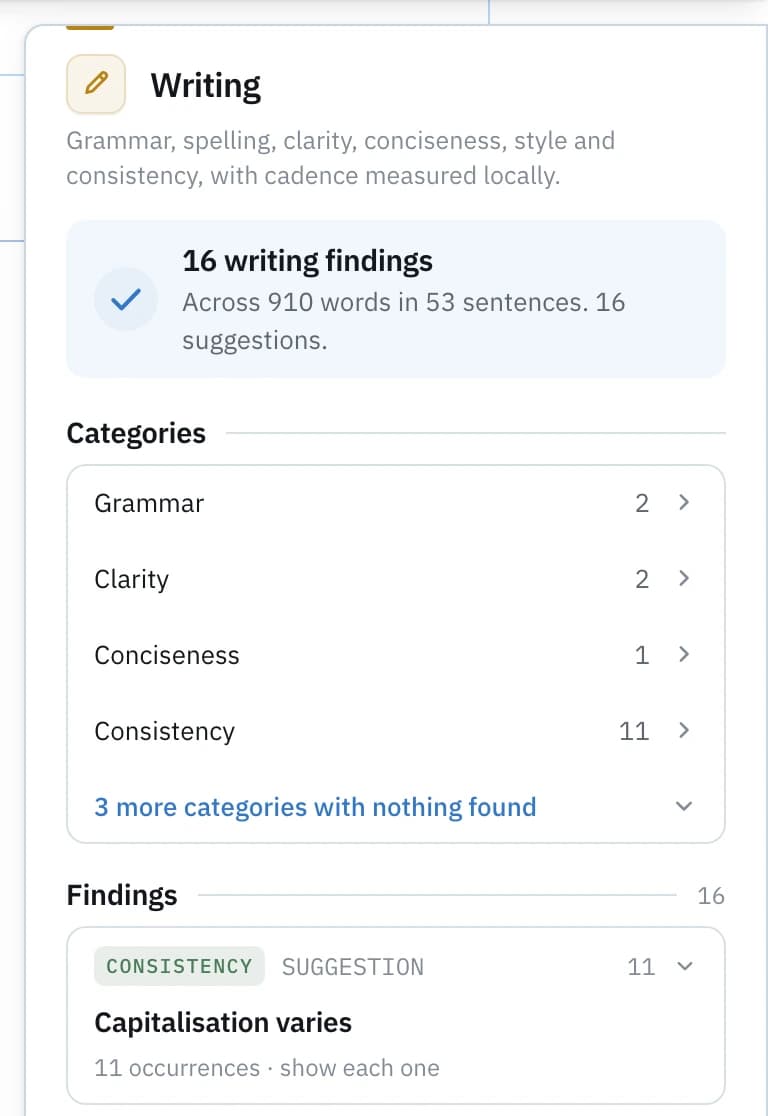
Compare this writing with the academic style measured in your own samples. Similarity of style — never evidence of authorship.
Those are the product’s own words for each tool. Academic Voice builds its profile from samples you deliberately choose and then shows where a new draft drifts: sentence length, hedging, formality, first person, each difference set beside your own reading. Writing analysis measures the same ground over the whole piece, so consistency is something you can see rather than guess. Improve and Humanize work on editable text, so paste the draft in for those.
Humanize and Academic Voice in detail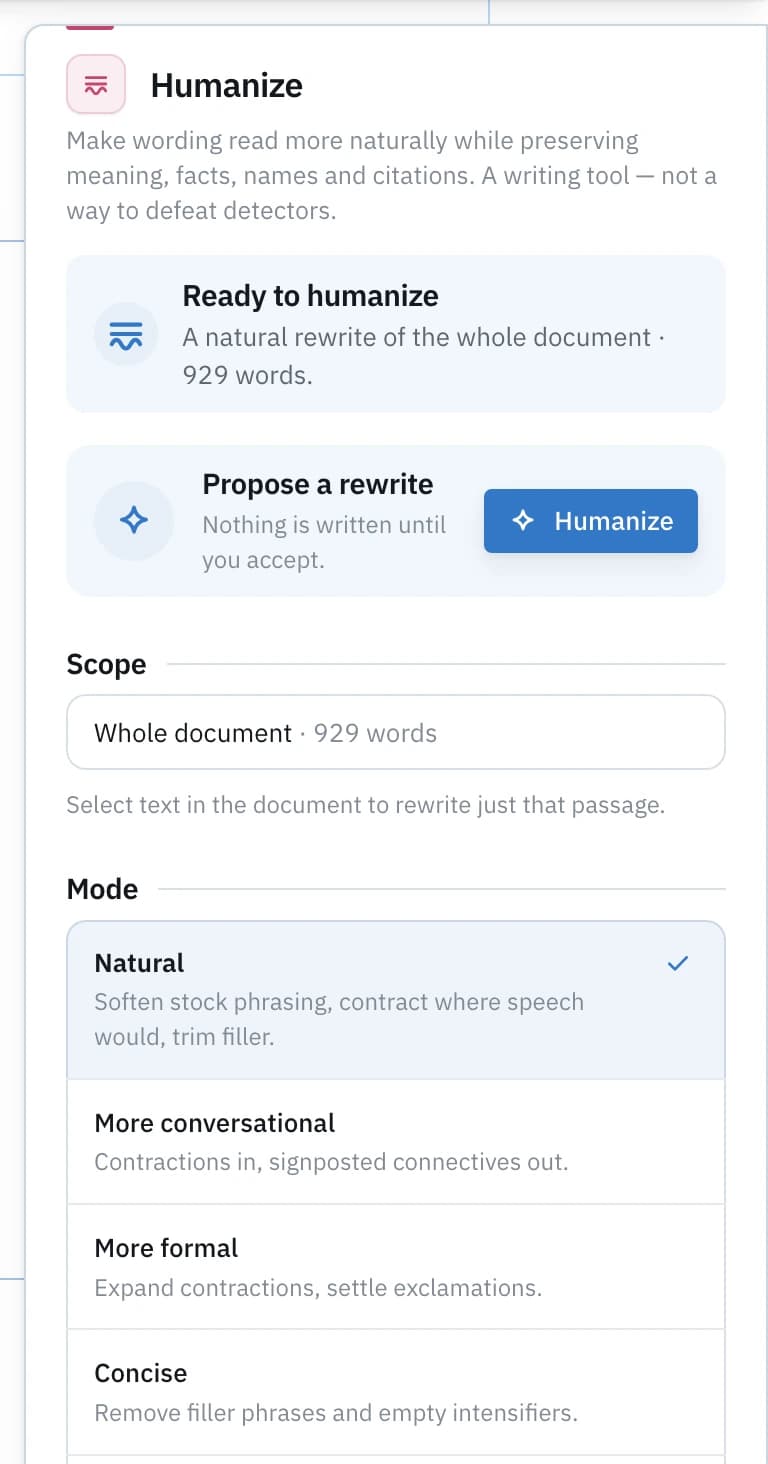
What your file says
An assignment is a file, and the file keeps a record.
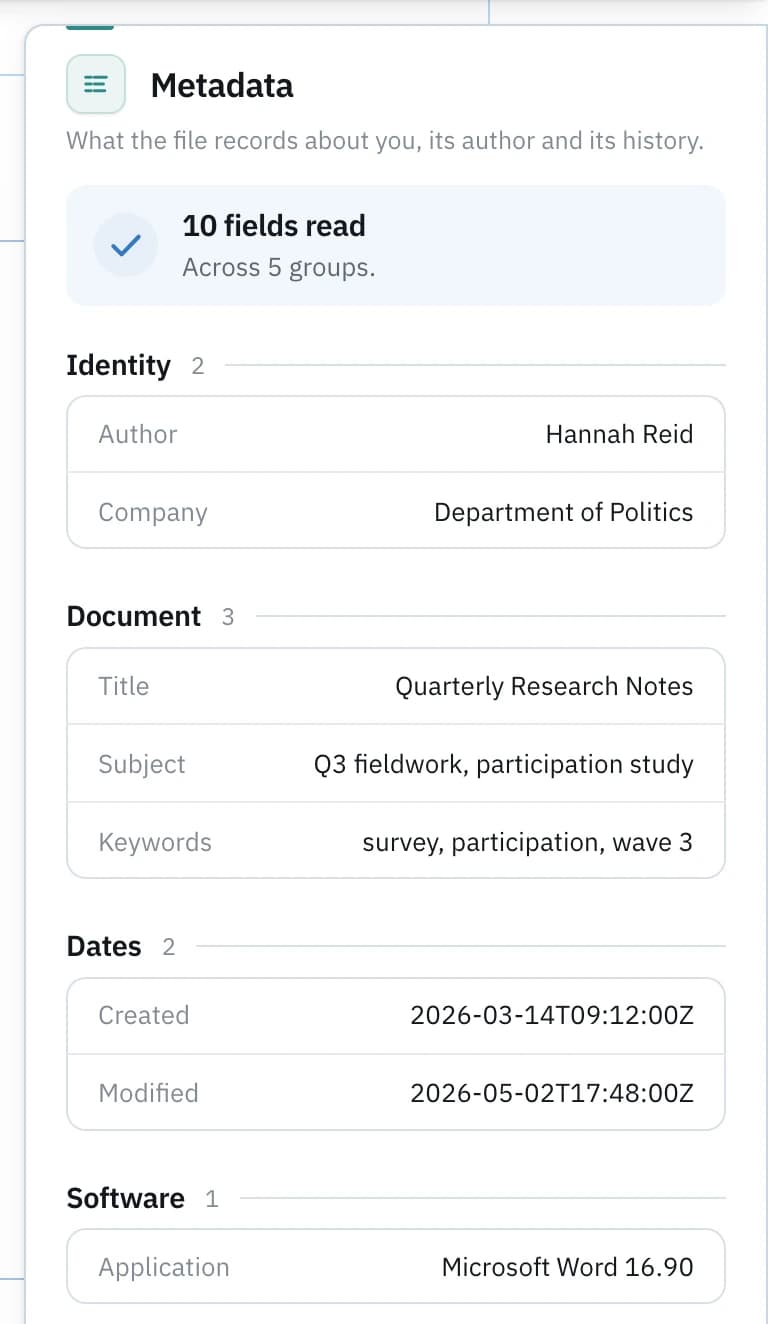
A .docx records more than the page it shows. Before you hand it over, it is worth knowing what it says about who wrote it, in what, when, and how many times it changed.
Metadata
Author and company fields, the application that wrote the file, created and modified timestamps, revision count, total editing time. Which of those yours carries varies by file, and inspecting it is how you find out.
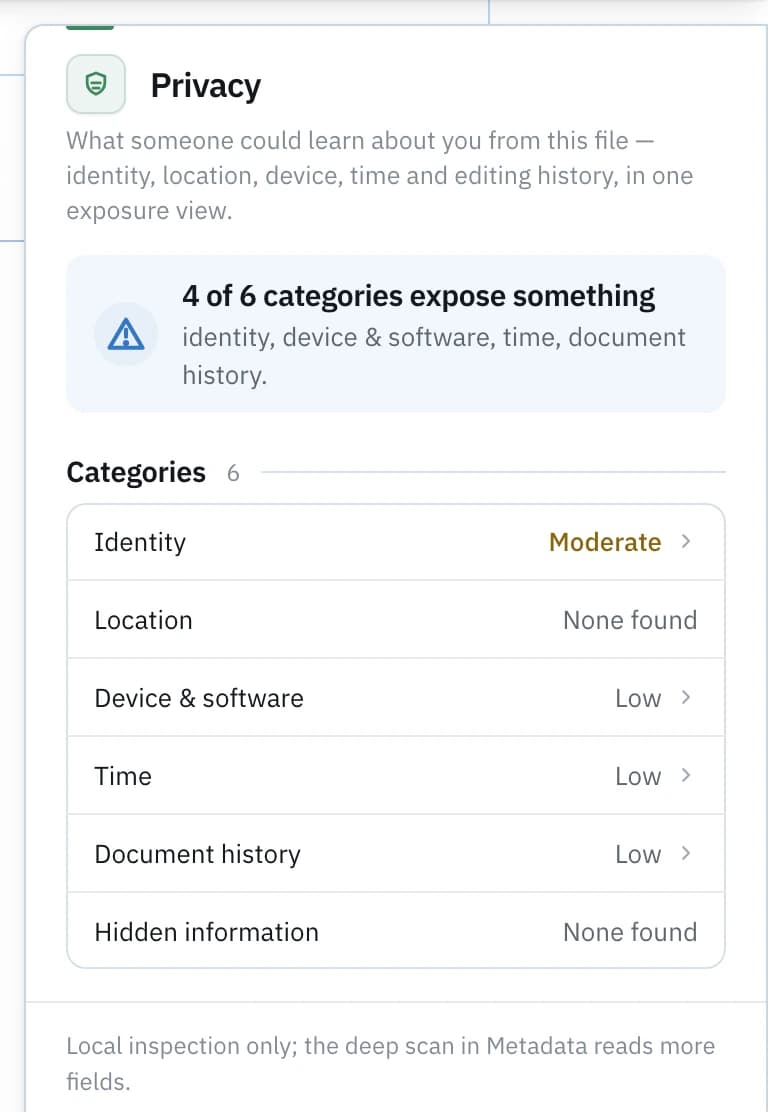
Privacy exposure
The same fields read a second way: what someone could learn about you from the file, graded as identity, location, device and software, and time. Metadata shows what exists; this is what it gives away.
Document history
The editing traces the format itself carries, beside Syft’s own record of what it did with the item. When a format keeps no history layer, Syft says so instead of inventing one.
Compare
One draft beside another: what changed in the text, in the metadata, in the exposure it creates and in the structure.
Provenance
Content Credentials and the integrity record, where a file carries them. Evidence about origin, never a verdict on truth.
Clean
When you would rather not share a field, Clean writes a copy without it and re-inspects that copy so the removal is shown rather than asserted. Your original is never modified.
PDFs are read for metadata, provenance and structure. Syft does not extract text from PDFs yet, so give the writing lenses the .docx or the text itself.
Show your process
The record of how the work was made.
A finished file says very little about how it grew. Drafts, notes, sources and version history say a great deal, and they answer a question about authorship better than any detector reading can.
Keep the drafts
Bring each version in as its own item, so Compare can show the piece developing instead of arriving whole.
Keep the reading beside them
Run the same analysis on each draft. Evidence that shifts as the writing develops tells a different story from evidence that appears finished.
Then decide what goes out
You have read the signals, the file’s own record and your own revisions. Submission confidence is just that: knowing exactly what is being handed in.
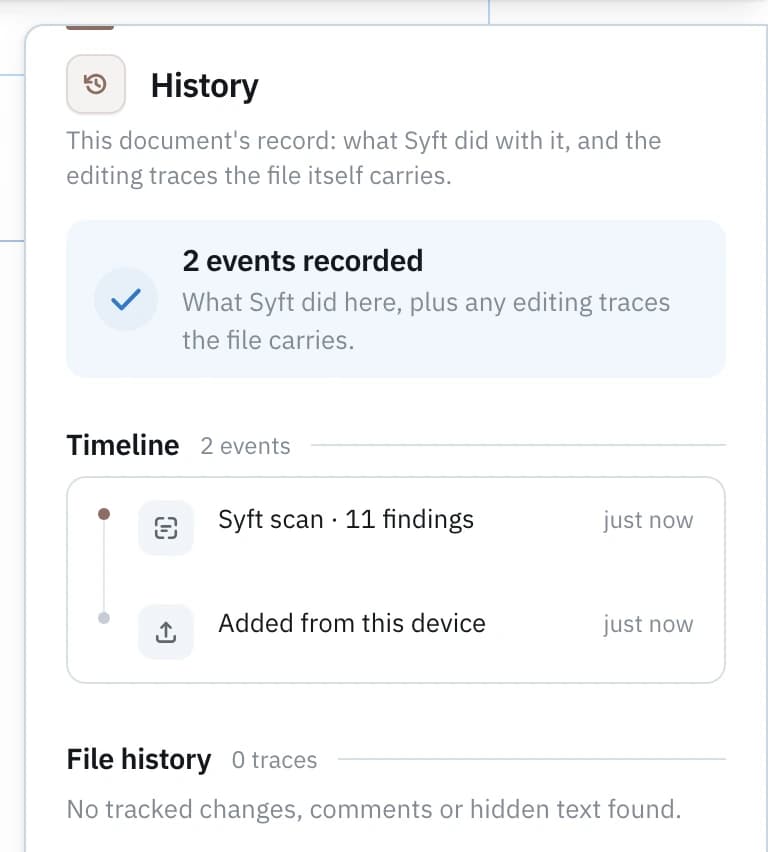
The record Syft works from is the files and versions you keep. It does not read a repository’s commit history, and it never certifies text as human or predicts what an institution’s own system will report. Your course’s rules on AI use are the rules that matter; know them, and follow them.
Code assignments
A problem set is a file too.
Syft reads source files, notebooks and whole projects for the things that travel with them by accident, then writes a clean copy you can actually submit.
Secrets and machine paths
API keys and credentials left in config or committed by accident, and absolute filesystem paths that name your account and your machine.
Stored notebook outputs
A notebook keeps the results of its last run inside the file. Syft lists them, so nothing arrives with your marker that you did not mean to send.
A clean copy, verified
Clean writes a sanitized copy and Verify rescans it, so the removal is demonstrated rather than claimed. The original is untouched.
Syft Detect reads prose, not code, so a source file takes the file lenses rather than a writing reading.
Syft for code and notebooks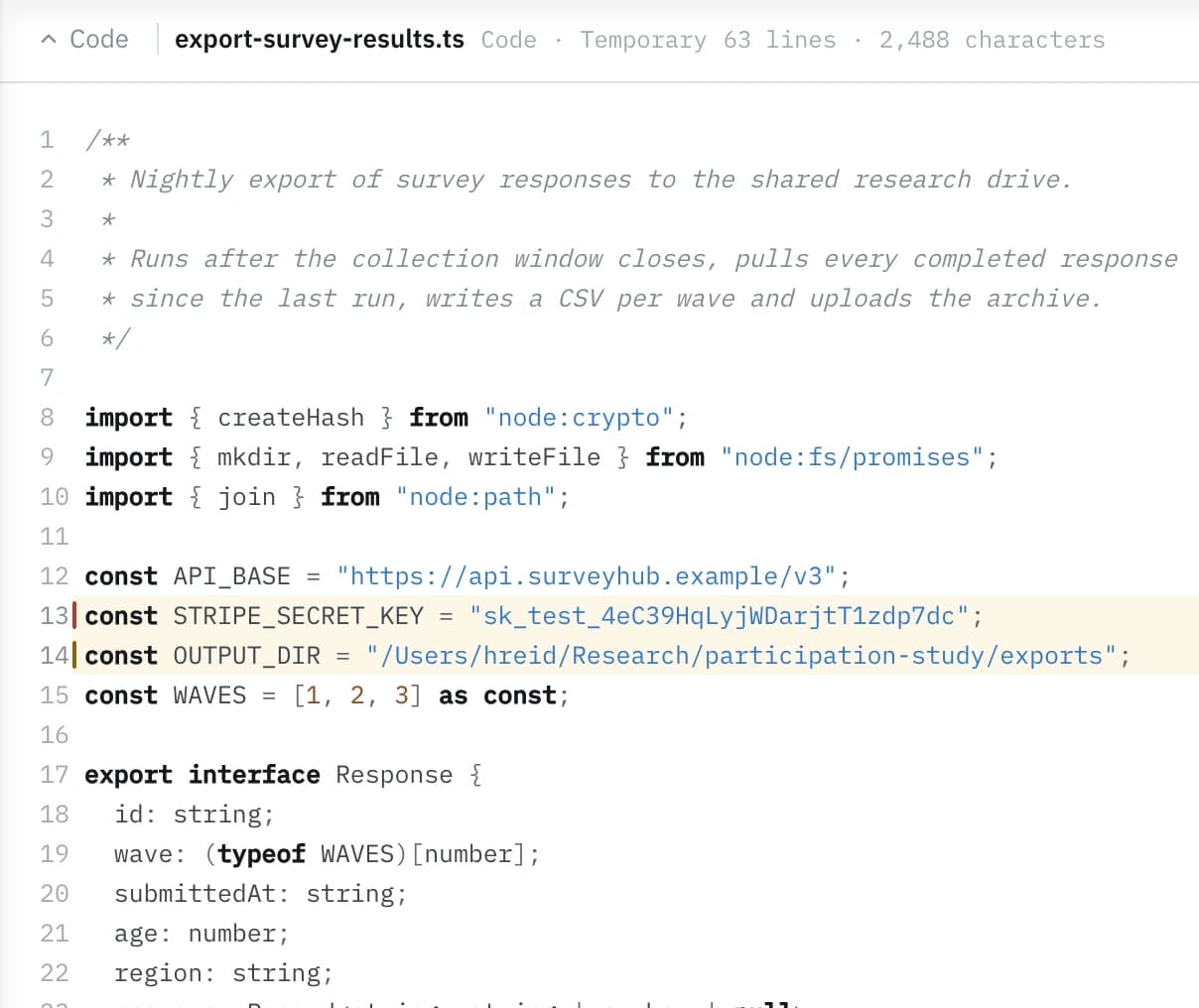
Questions
Straight answers.
- Can Syft tell me for certain whether my text is AI-written?
- Syft Detect reports a signal band for the draft and marks the passages carrying AI-writing signals, with the pattern behind each one named in plain language. That is a measurement of the writing, not a record of who typed it. A detector result is not proof of authorship.
- Will Syft guarantee my assignment passes an AI detector?
- No. Syft shows you what a detector responds to in your own writing, passage by passage, so you can revise with your own judgement. It makes no promise about what any other system will report: different detectors disagree, and Syft does not try to predict or influence any of them.
- Does Syft rewrite my assignment?
- Only if you ask, and only through proposals you review one at a time. Improve and Humanize suggest word- and phrase-level revisions, quotations, numbers and citations are verified preserved, and nothing is written until you accept. Accepting writes a new copy, so your original stays exactly as it is.
- What is Academic Voice?
- A profile built from writing samples you deliberately choose, and a check that measures a new draft against it: sentence length, hedging, formality, first person. It describes tendencies in work you supplied, which makes it a consistency check rather than evidence of authorship.
- Does Syft upload my document?
- The file is read in the workspace and is not uploaded. Text needed for detection is sent once over an encrypted connection to Syft's own servers, is never used to train a model or shared with anyone, and is deleted shortly after the result reaches the Syft workspace.
- What can the metadata in an assignment say about me?
- A .docx typically records an author name, the application that wrote it, created and modified timestamps, a revision count and total editing time, though it varies by file. Syft shows you exactly what yours carries, and Clean can write a copy without the fields you would rather not share.
- Can Syft read a PDF of my essay?
- Its metadata, provenance and structure, yes. Syft does not extract text from PDFs yet, so the lenses that need the words are limited over PDFs today: hand Syft the .docx, or paste the text.
- Is there a student plan?
- No. Syft is sold to individuals on two plans, Free and Pro. The inspection is on the Free plan; Pro adds 50,000 Syft Credits a month and larger files from connected sources.