Code
Know what your code is carrying before you ship it.
Syft reads source files, Jupyter notebooks, data files and whole projects, and names what travels with them: a key left in the source, a path that spells out your machine, the results a notebook stored from its last run, the metadata the file keeps about its author. Then it writes you a clean copy and checks it again.
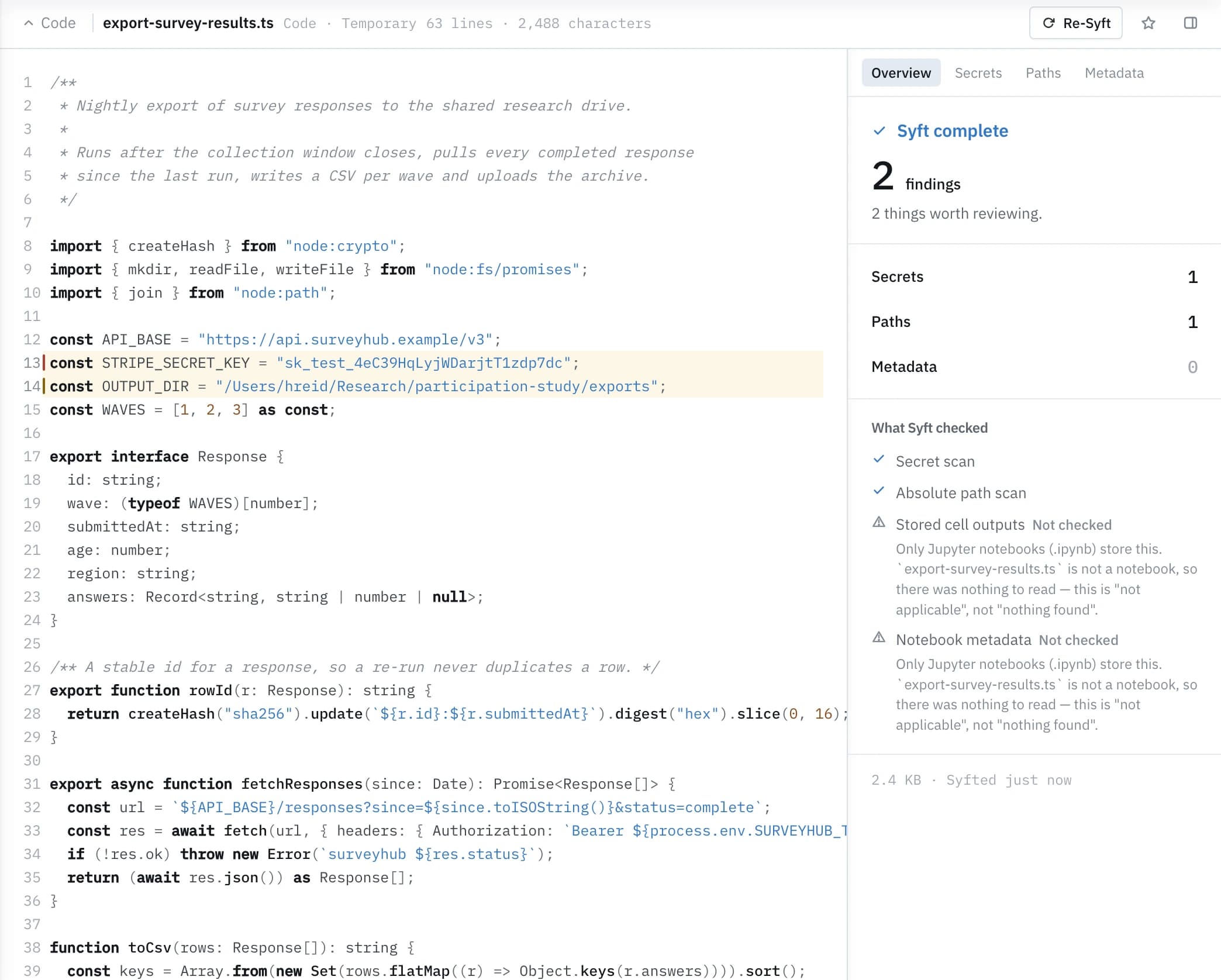
What Syft finds
Four readings of the same file.
Open a file and the checks run. Overview gathers everything found across every check that ran; each lens below holds one kind of finding, at the line it belongs to.
Secrets
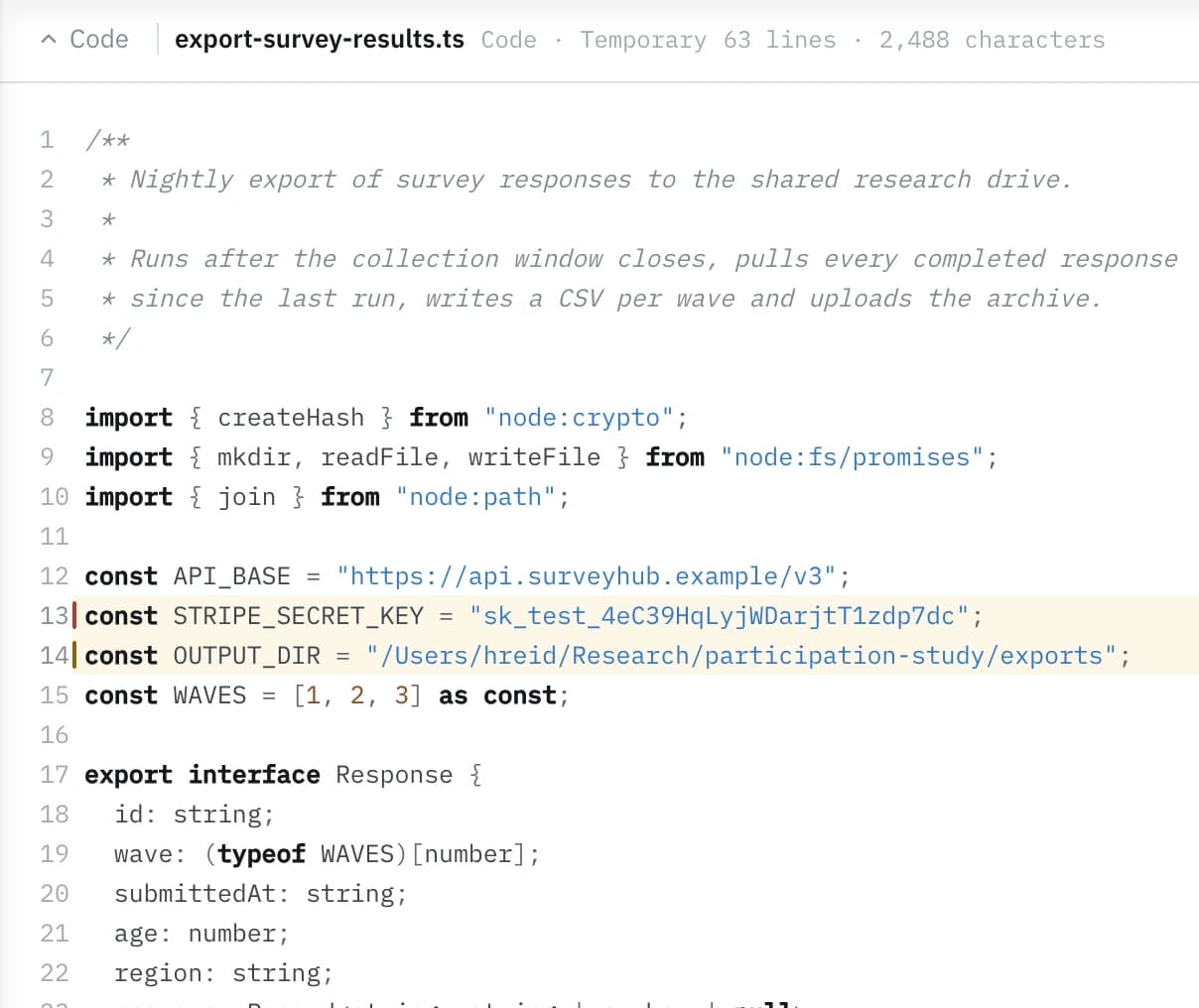
Keys, tokens and credentials sitting in the source. Syft names the file and the line each one is on, so you can see what would travel with the code and decide what to rotate.
Paths
Absolute filesystem paths that carry your account name, your home directory or your machine. Unremarkable while you are writing, and a small biography once the file leaves your computer.
Outputs
Jupyter notebooks only: the results stored inside the file from the last time it ran. A shared notebook brings its printed rows, its stack traces and its figures along with it.
Metadata
What the file records about you rather than about the program: author fields, the tooling that wrote it, and the history the format keeps beside the content.
config/settings.py, line 12
AWS_SECRET_ACCESS_KEY = "••••••••••••"
scripts/export.py, line 4
DATA_DIR = "/Users/yourname/survey-data"
Not every check applies to every file. Where one does not, Syft says so by name (a Python file has no stored notebook outputs to read) rather than folding it into a clean result.
Projects
A whole project, read as one thing.
Paste a file, drop a folder, or open a repository you have connected. A project comes in as a single item with its file tree, and the lenses work across all of it or over the one file you are looking at.
The tree stays a tree
A folder arrives as one item with its structure intact, up to 400 files, binaries left out. Move through the tree, open any file, and read its findings where they live.
Project scope and file scope
Project scope reads across every analysed file and totals what it finds. File scope narrows to the one file in front of you. The same lenses, two distances.
Coverage you can audit
A file that was not analysed is still listed, with the reason it was skipped: binary, or past the size limit. Skipped files appear in coverage instead of disappearing from the count.
Straight from a repository
Connect GitHub and open files from the repositories you granted. Syft records which repository, branch, path and commit the content came from, so a finding always has an address.
Clean and verify
Take it out, then prove it is out.
Finding a key in a file is the first half. The second is a copy you can hand over, and a record of what changed between the two.
Clean
Choose what should not ship, and Syft writes a new copy without it. The copy is always a new file: your original is never overwritten, so the version you are still working in stays exactly as it was.
Verify
Run the checks again over the cleaned copy. Verify returns a before-and-after receipt: what the original carried, what the copy carries now, and which findings the clean pass resolved.
Who it is for
Anyone whose code is about to be read by someone else.
Developers sharing work
Before a repository goes public, a snippet goes into an issue, or a take-home project goes to a hiring team, read what the files carry as a stranger would receive them.
Students handing in code
An assignment is opened by someone who did not write it. Check what your notebook stored from its last run, and whose home directory the paths spell out, before you submit.
Reviewers reading someone else's project
Take in a project you did not write, walk the tree, and see the findings per file and across the whole thing without opening every file yourself.
Questions
Straight answers about code in Syft.
- What can Syft read as code?
- Source files, Jupyter notebooks and data files such as JSON, YAML and CSV. A folder, or the files of a repository you have connected, can be taken in together as one project of up to 400 files, with binaries left out.
- Does cleaning a file change the original?
- Clean always writes a new copy, and your original stays exactly as it was. You choose what comes out, and Verify then rescans the copy and returns a before-and-after receipt so the removal is on the record.
- What happens to files Syft does not analyse?
- They are listed with the reason. Binary files and files past the size limit still appear in the file tree and in the project's coverage, so a skipped file is visible rather than silently missing.
- Which repositories can Syft open?
- Only the ones you granted when you connected GitHub. Syft reads those repositories and remembers the repository, branch, path and commit behind anything you open, so you can trace a file back to where it came from.
Read a file, or the whole project.
Code sits beside documents, images and data in the same workspace, with the same lenses, the same Clean and the same receipt.