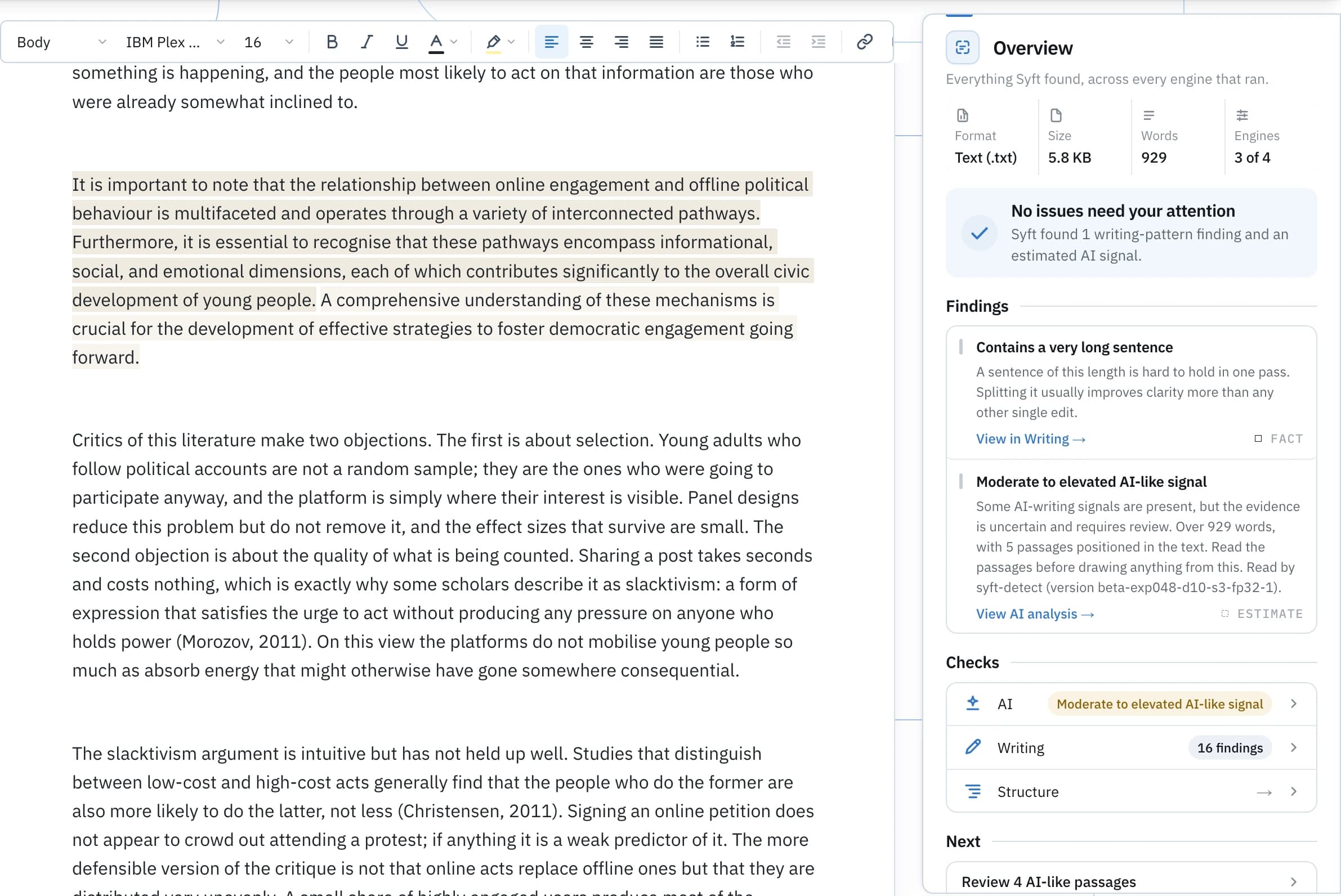
The Syft workspace
One workspace for everything your work carries.
Add writing, a document, a PDF, an image, a source file or a whole folder. Syft reads it across every lens that applies, reports each finding with its evidence and its exact location, and gives you the tools to improve, clean and verify the work from the same place.
What you bring in
Content, in its own form.
Syft does not flatten everything into text. Each kind keeps the shape it actually has, and gets the lenses that can honestly read it.
- Writing
- Paste a draft or write in the workspace. Editable text is where Syft Detect, Writing analysis, Improve, Humanize and Academic Voice all apply.
- Documents and PDFs
- A DOCX or a PDF arrives as a file, with its metadata, privacy exposure, provenance, structure and history. A PDF is read for what the container records rather than for its prose.
- Images
- Photographs and exports, for the layer beside the picture: camera and software metadata, and Content Credentials where a file carries them.
- Code, notebooks and data
- Source files, Jupyter notebooks and JSON, YAML or CSV, for the credentials, machine paths, stored outputs and metadata they travel with.
- Folders and connected sources
- A folder arrives as one project with its tree intact. Connect Google Drive or GitHub and open files from the places your work already lives.
What Syft reveals
The signals, and where they come from.
AI signals, metadata, privacy exposure, provenance, structure, history, and what source files carry. Each lens is a separate reading with its own evidence, not one number standing in for all of them.
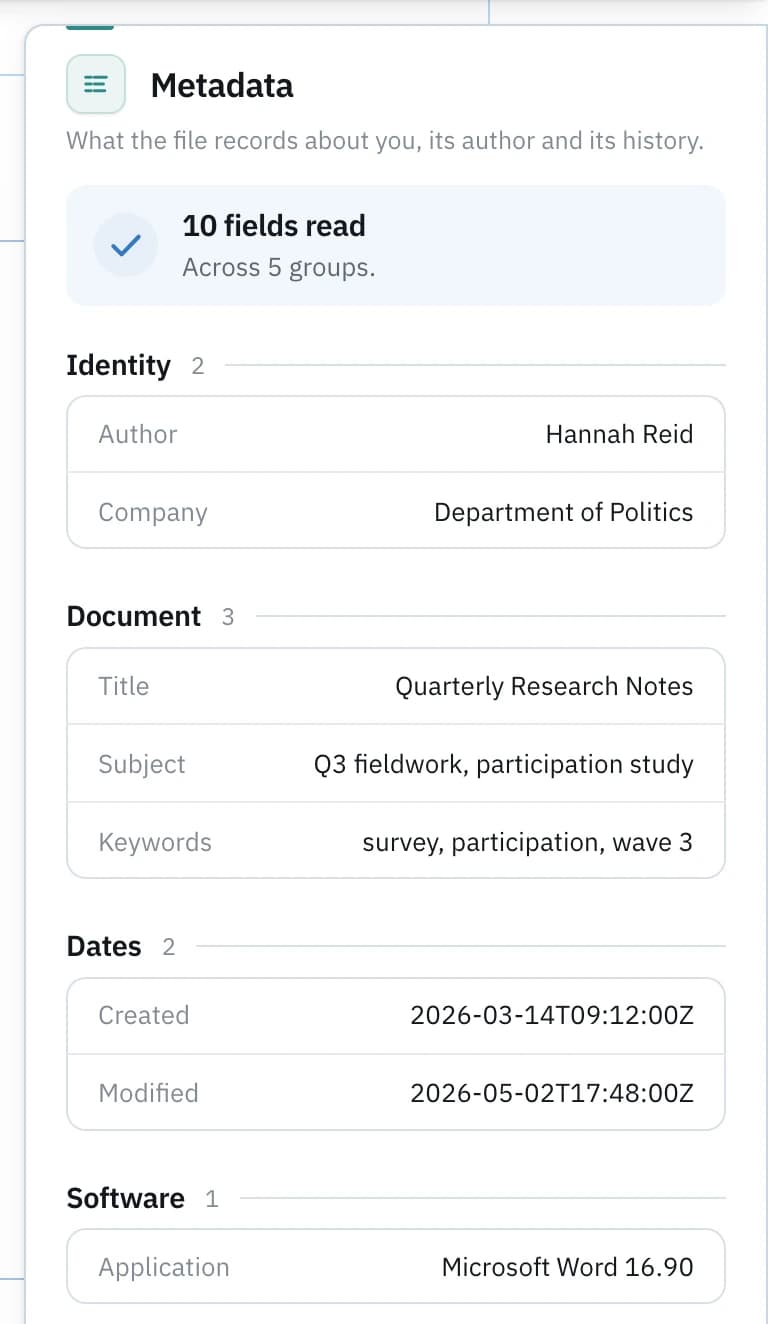
- Syft Detect
- A signal band for the whole piece and the passages that put it there, each with the pattern behind it. Built for essay-like and academic prose in English. A detector result is not proof of authorship.
- Writing analysis
- Sentence variance, lexical diversity and cadence, reported as measurements of the prose rather than a verdict on it.
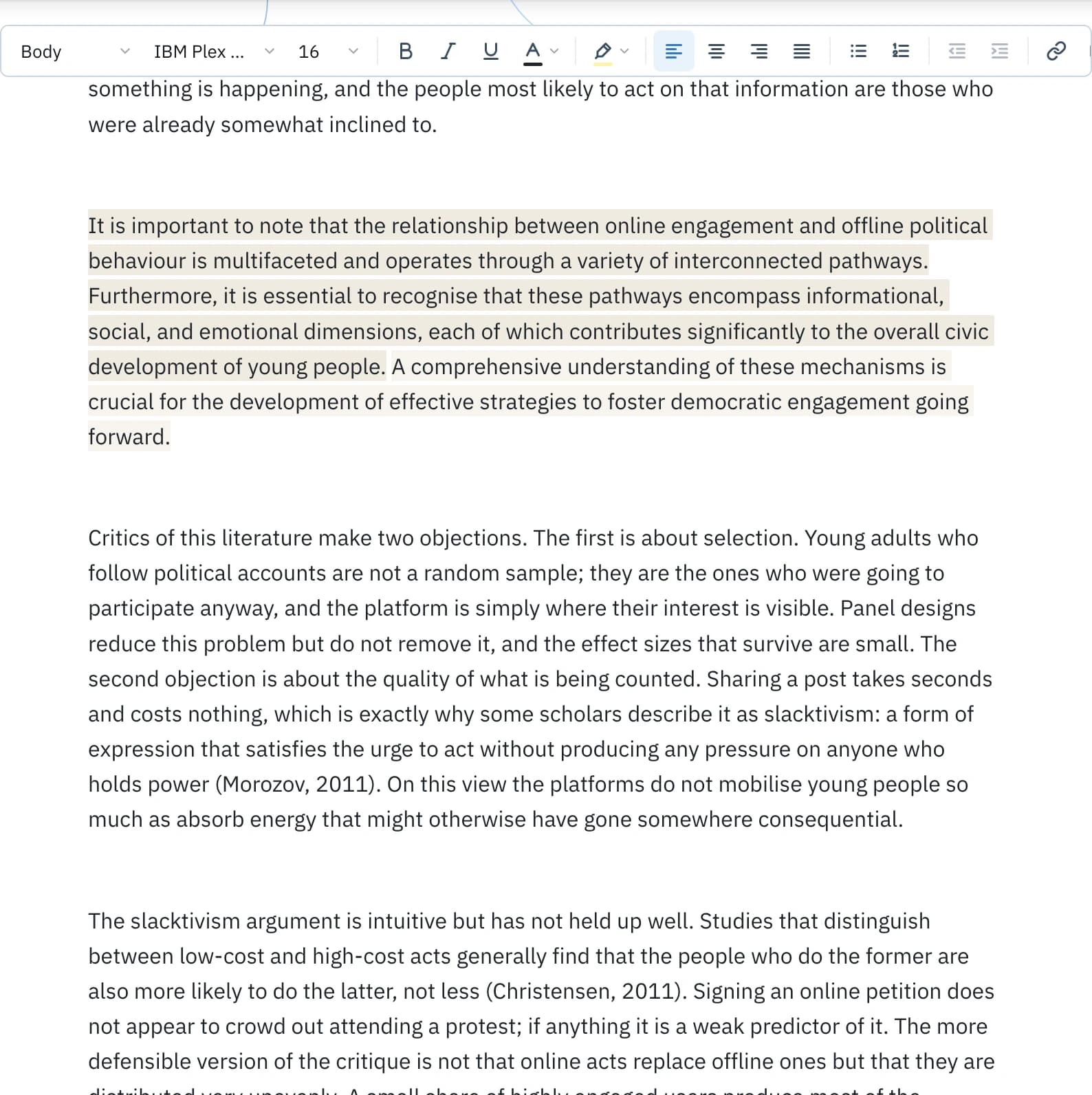
- Metadata
- What a file records about you, its author and its history: names, software, timestamps and the fields a format keeps beside the content.
- Privacy
- One exposure view over the same evidence: what someone could learn about identity, location, device, time and editing from the file you are about to send.
- Provenance
- Content Credentials on images, PDFs and documents, read as evidence: what they claim, and whether they validate. Evidence about origin, never a verdict on truth.
- Structure
- What the file is made of: pages, images, fonts, embedded files, links and the other parts inside the container.
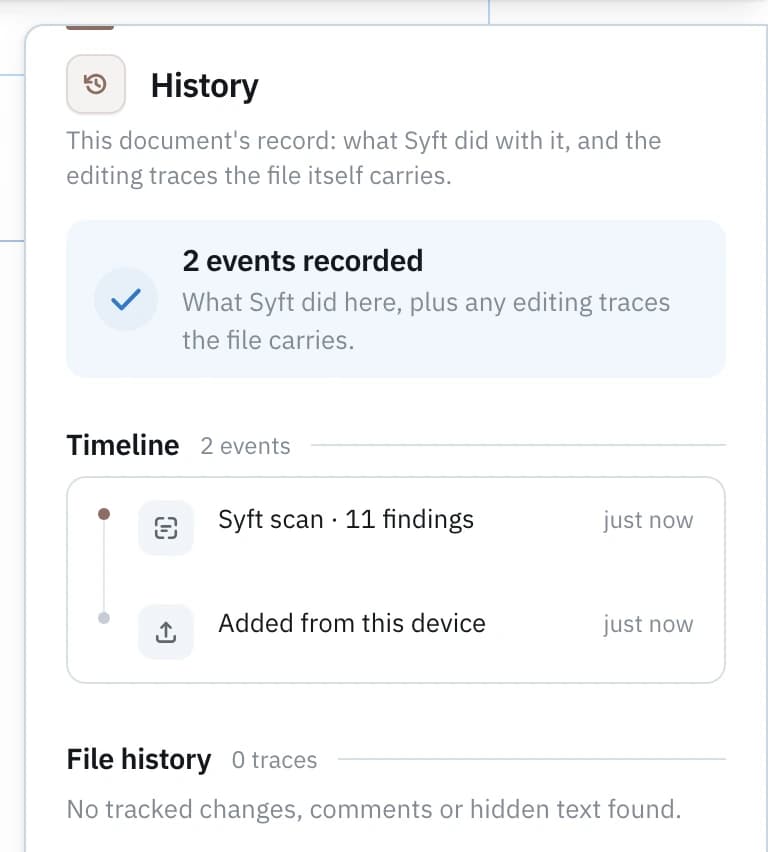
- History
- Two records in one lens: what Syft did with this item, and the editing traces the file itself carries.
- Secrets and paths
- In code, notebooks and data: keys and credentials left in the source, absolute paths that name your account or your machine, and the results a notebook stored the last time it ran.
Everything in the workspace
Three families, one document.
The AI writing capabilities work on prose. The inspection lenses read what a file carries. The file tools act on the artifact itself. They open on the same item, so moving between them is changing your question rather than starting again.
AI writing
Inspect
The AI writing family
Four capabilities, asking four different questions.
They are easy to mistake for four versions of the same tool. They are not: one reads the draft for AI-writing signals, one revises machine-like phrasing, one compares the draft with your own measured habits, and one fixes the writing issues the Writing lens found.
Detect
“Does this read as AI-written, and which passages?”
A signal band for the whole piece, and the marked passages with the pattern behind each one.
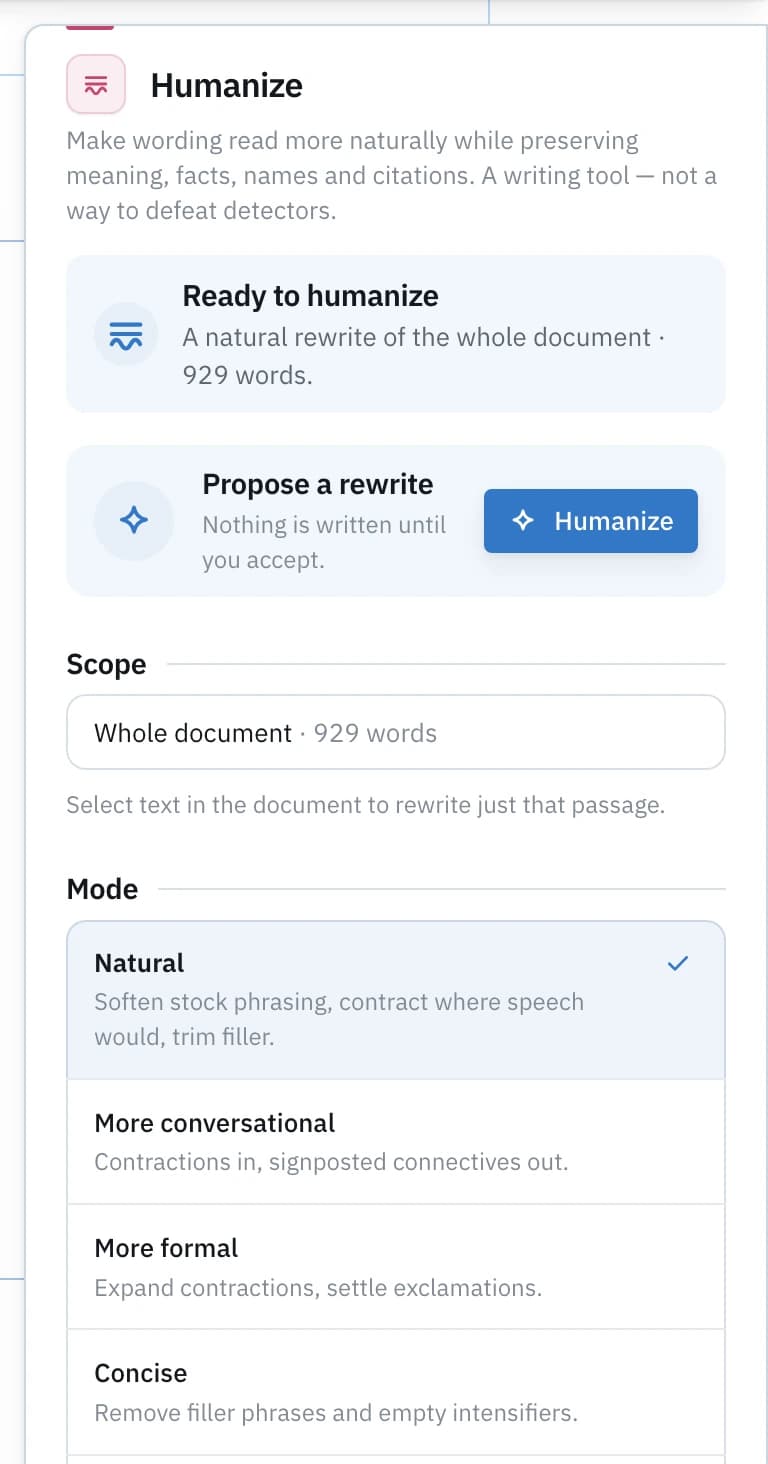
Humanize
“Which passages read as machine-written?”
A proposal for each one, bounded by the passage, with meaning, numbers and citations kept.
Academic Voice
“Does this read like the writing I already do?”
A dimension-by-dimension comparison against samples you chose. Never a claim about authorship.
Improve
“What did the Writing lens find that can be fixed safely?”
The replacement for that span, and nothing around it. A word, a phrase, a sentence joint.
Detect and Academic Voice report; Humanize and Improve propose. None of them rewrites a document on its own, and none reads another’s result as evidence. The Writing lens that feeds Improve is a separate inspection again: what Writing checks
One item, many lenses
Every finding tells you where it is.
A result you cannot locate is a rumour. Syft puts each finding back on the thing it came from, in the same language across every lens, so you can check it yourself.
- Every lens, one rail
- The lenses that apply to what you added sit together beside the open item. Changing lens is changing your question, not starting again.
- Evidence, in place
- A finding is shown on the work itself: the marked passage, the named field, the flagged line. It says what it is, where it is, and what it is based on.
- The scope you want
- A project totals what it finds across every file it analysed, and lists the files it skipped with the reason. Open one file and the same lenses narrow to it.
What you do next
Reading it is half of it.
The writing capabilities above propose; these act on the file itself. Both follow the same rule: every change is a proposal you accept or a copy Syft writes for you. Nothing is changed behind your back, and your original stays as it was.
- Clean
- Choose exactly what comes out of a document, PDF, image, notebook or data file. Always written to a copy, so the original is untouched.
- Verify
- Rescan the cleaned copy and issue a before-and-after receipt, so the removal is on the record instead of being assumed.
- Compare
- One version beside another: what changed in the text, the metadata, the privacy exposure and the structure, in a single reading.
Extract pulls out the text, links, images and embedded parts of a file. Search finds where something appears, including in the metadata, comments and content a page does not show. Report collects every check that ran and what it found into one record you can export.
Why one workspace
All of it, beside the work.
Every lens, edit and tool sits on one rail next to the open item. You do not move the same draft through four separate tools to answer four questions about it, and you do not learn four vocabularies for what they found.