Tools
Everything Syft does.
Syft Detect and Humanize are the reason most people arrive. This is everything else the workspace can do. You bring the content, and it offers exactly the lenses defined for that kind of file.
| Lens / tool | ||||||
|---|---|---|---|---|---|---|
| OverviewEverything Syft found, across every engine that ran. | ||||||
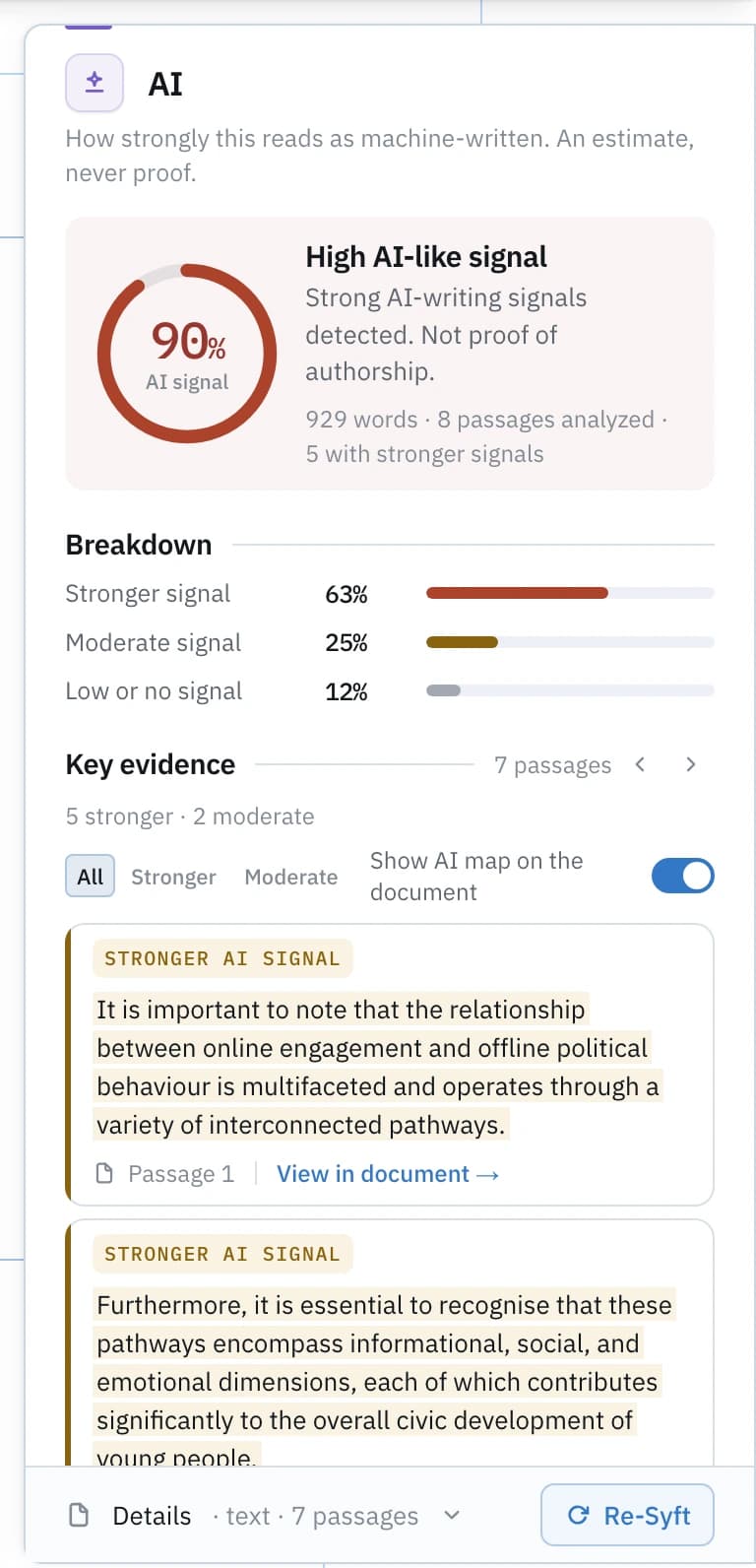
| AIHow strongly this reads as machine-written. An estimate, never proof. | AI: not applicable to PDFs | AI: not applicable to Code | AI: not applicable to Notebooks | AI: not applicable to Images | ||
| WritingGrammar, spelling, clarity, conciseness, style and consistency, with cadence measured locally. | Writing: not applicable to PDFs | Writing: not applicable to Code | Writing: not applicable to Notebooks | Writing: not applicable to Images | ||
| ImproveClarity edits from Syft's writing measurements: over-long sentences, heavy signposting, filler. Reviewed one by one. | Improve: not applicable to Documents | Improve: not applicable to PDFs | Improve: not applicable to Code | Improve: not applicable to Notebooks | Improve: not applicable to Images | |
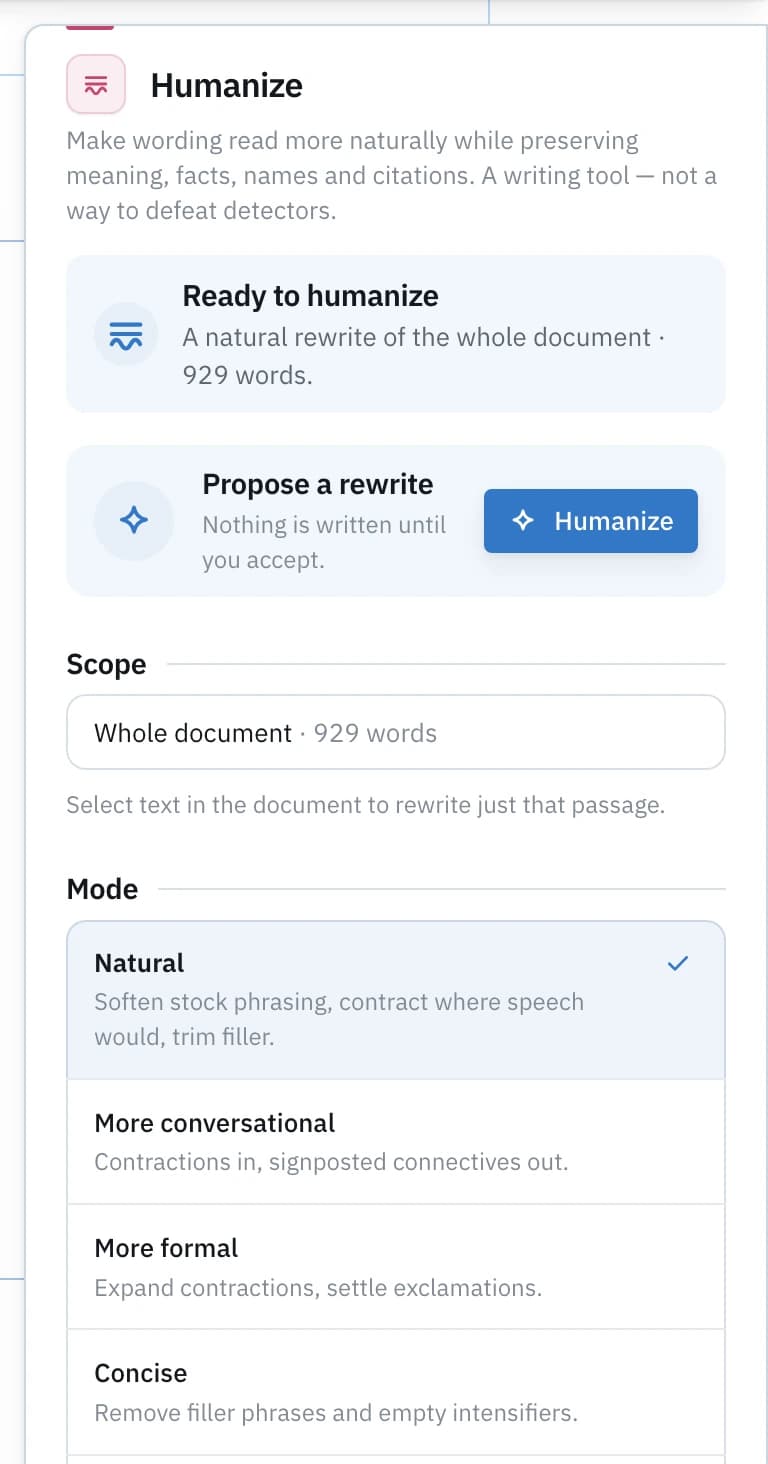
| HumanizeMake wording read more naturally while preserving meaning, facts, names and citations. A writing tool — not a way to defeat detectors. | Humanize: not applicable to Documents | Humanize: not applicable to PDFs | Humanize: not applicable to Code | Humanize: not applicable to Notebooks | Humanize: not applicable to Images | |
| Academic VoiceCompare this writing with the academic style measured in your own samples. Similarity of style — never evidence of authorship. | Academic Voice: not applicable to PDFs | Academic Voice: not applicable to Code | Academic Voice: not applicable to Notebooks | Academic Voice: not applicable to Images | ||
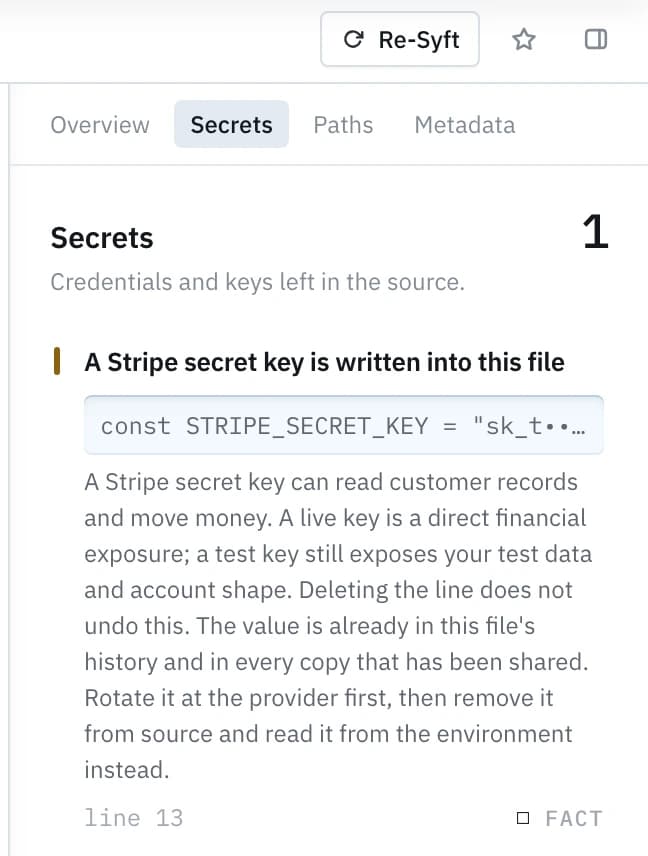
| SecretsCredentials and keys left in the source. | Secrets: not applicable to Writing | Secrets: not applicable to Documents | Secrets: not applicable to PDFs | Secrets: not applicable to Images | ||
| PathsAbsolute filesystem paths that name your account or machine. | Paths: not applicable to Writing | Paths: not applicable to Documents | Paths: not applicable to PDFs | Paths: not applicable to Images | ||
| OutputsResults stored inside the notebook from the last time it ran. | Outputs: not applicable to Writing | Outputs: not applicable to Documents | Outputs: not applicable to PDFs | Outputs: not applicable to Code | Outputs: not applicable to Images | |
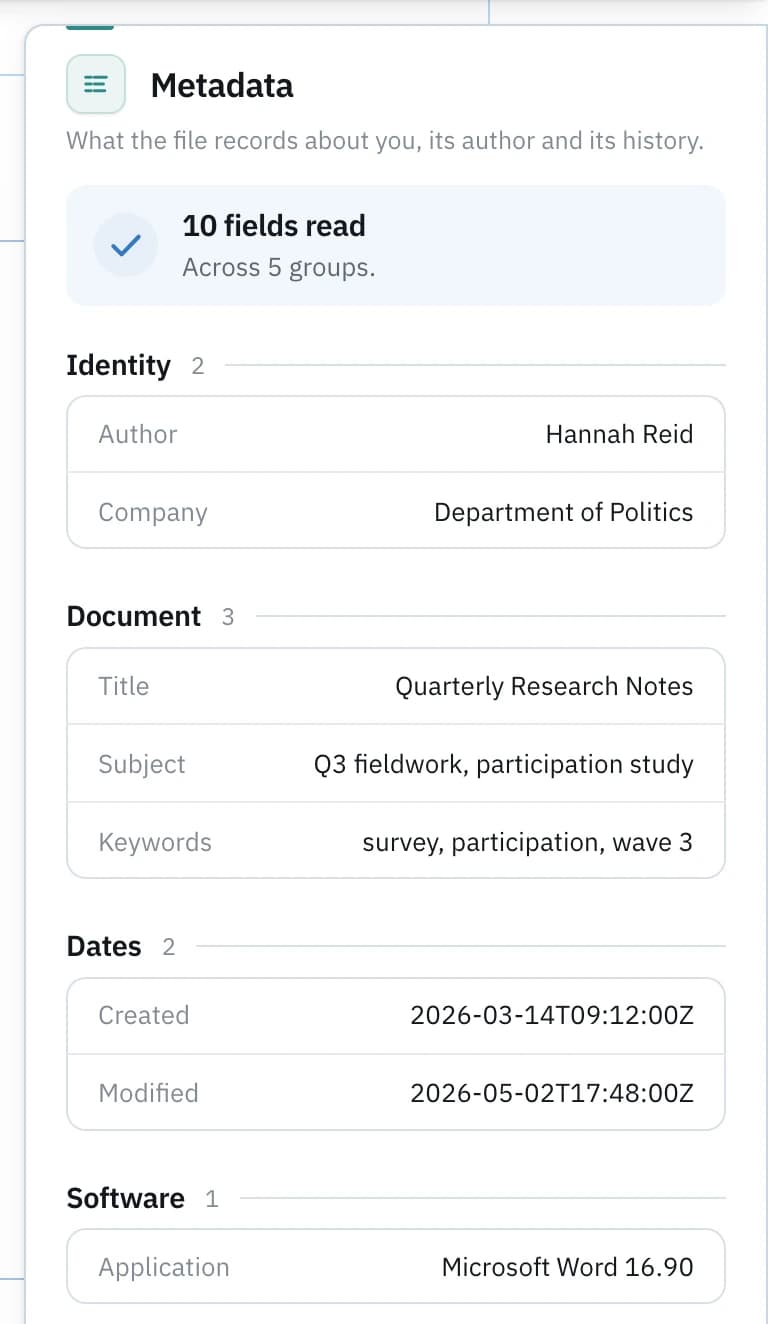
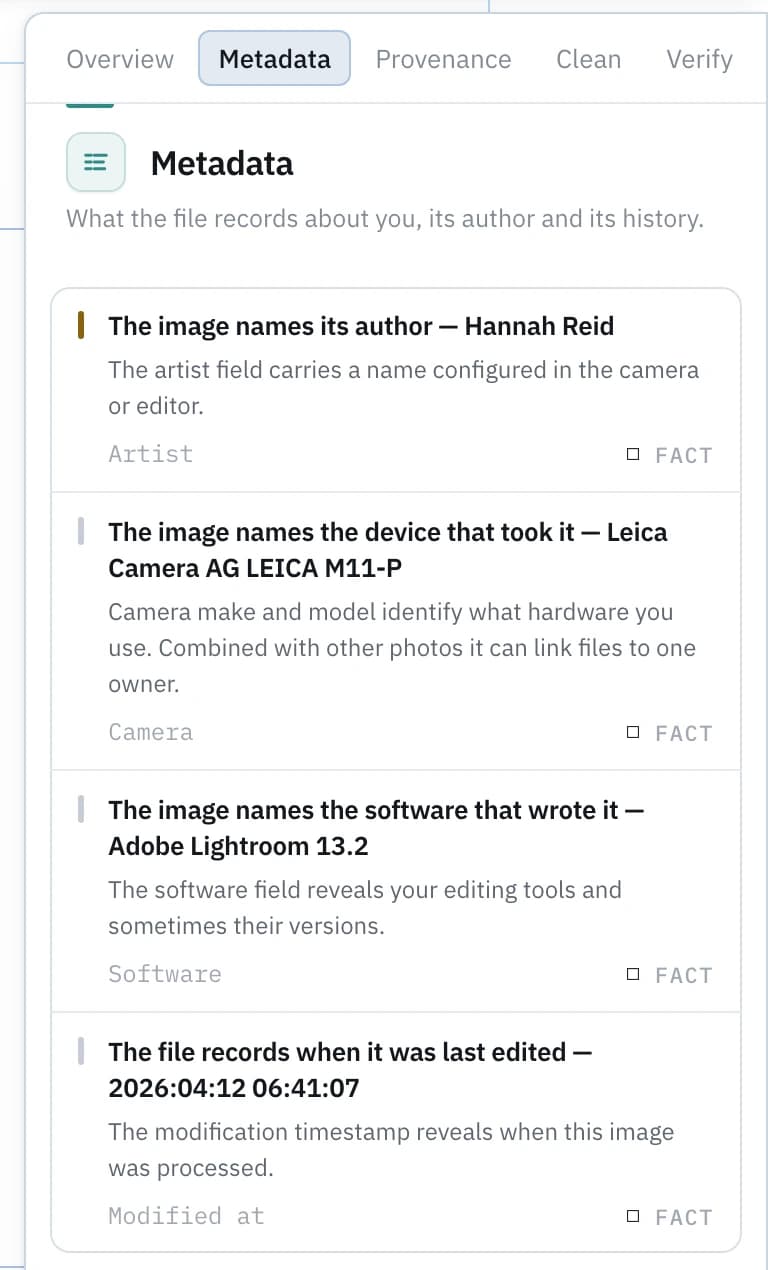
| MetadataWhat the file records about you, its author and its history. | Metadata: not applicable to Writing | |||||
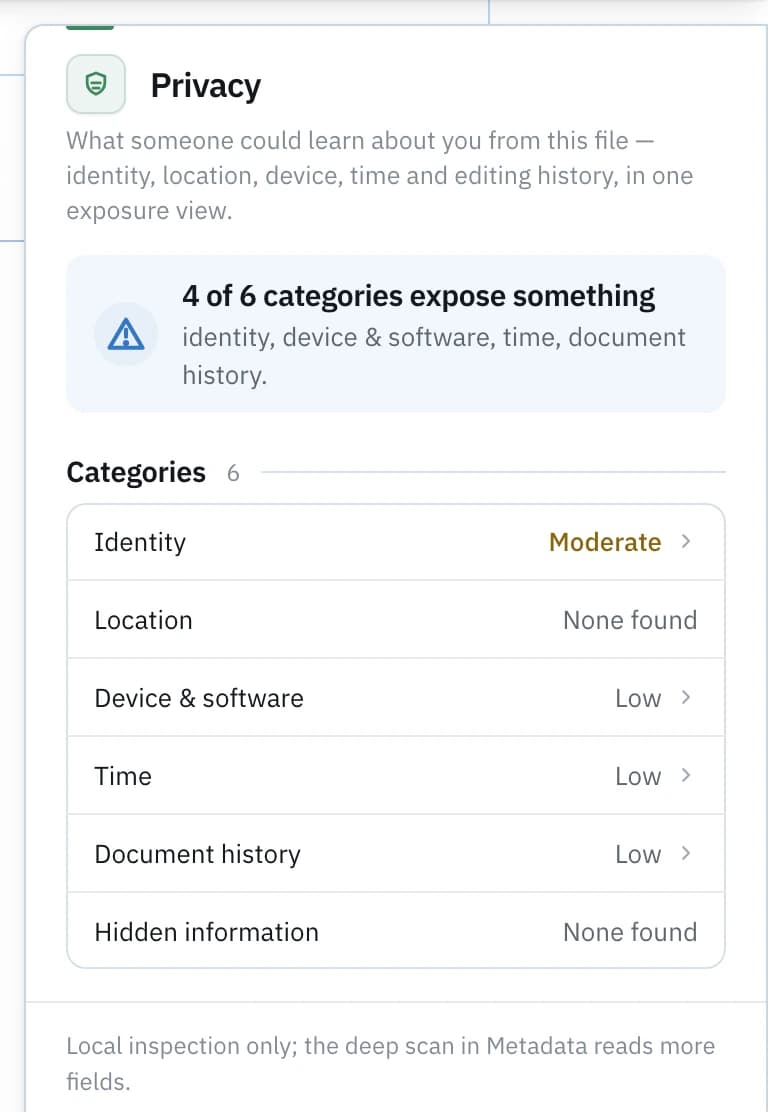
| PrivacyWhat someone could learn about you from this file — identity, location, device, time and editing history, in one exposure view. | Privacy: not applicable to Writing | Privacy: not applicable to Code | Privacy: not applicable to Notebooks | Privacy: not applicable to Images | ||
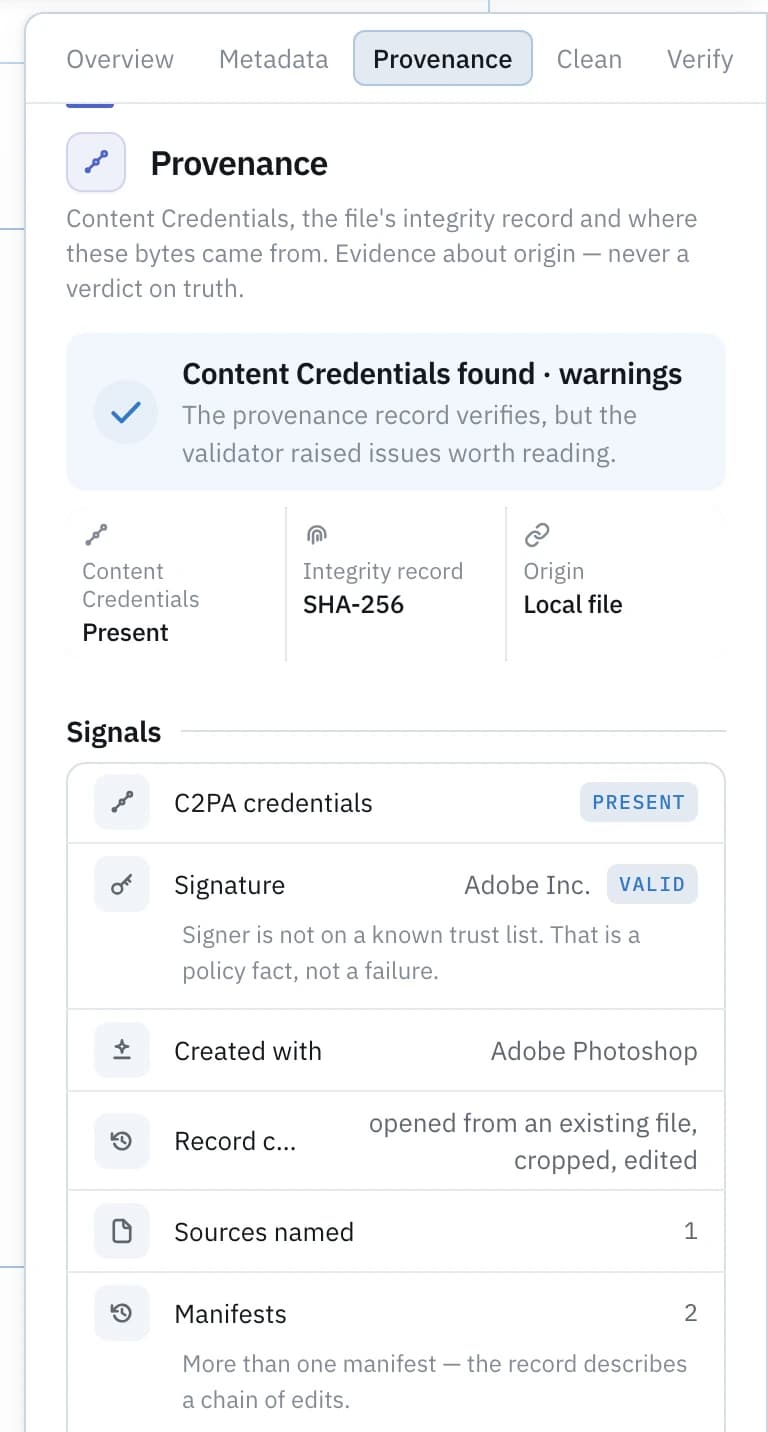
| ProvenanceContent Credentials, the file's integrity record and where these bytes came from. Evidence about origin — never a verdict on truth. | Provenance: not applicable to Writing | Provenance: not applicable to Code | Provenance: not applicable to Notebooks | |||
| StructureWhat the file is made of — pages, images, fonts, embedded files, links and the other parts inside the container. | Structure: not applicable to Code | Structure: not applicable to Notebooks | Structure: not applicable to Images | |||
| HistoryThis document's record: what Syft did with it, and the editing traces the file itself carries. | History: not applicable to Code | History: not applicable to Notebooks | History: not applicable to Images | |||
| CleanChoose what to remove. Always written to a copy. | Clean: not applicable to Writing | |||||
| VerifyRescan a cleaned copy and issue a before-and-after receipt. | Verify: not applicable to Writing | |||||
| CompareThis document beside another version — what changed in the text, the metadata, the privacy exposure and the structure. | Compare: not applicable to Code | Compare: not applicable to Notebooks | Compare: not applicable to Images | |||
| ExtractPull out what the file contains — text, links, images and embedded parts — to preview, copy or download. | Extract: not applicable to Code | Extract: not applicable to Notebooks | Extract: not applicable to Images | |||
| SearchFind where something appears — in the visible text, and in the metadata, comments and hidden content the page does not show. | Search: not applicable to Code | Search: not applicable to Notebooks | Search: not applicable to Images |
Writing
Your draft, read closely.
Paste or type and the text lenses light up: Syft Detect marks the passages carrying AI-writing signals and names the pattern behind each one, writing analysis measures how the prose moves, and the editing tools propose changes you review one at a time.
- Writing
- Grammar, spelling, clarity, conciseness, style and consistency, with cadence measured locally.
- Improve
- Clarity edits from Syft's writing measurements: over-long sentences, heavy signposting, filler. Reviewed one by one.
- Humanize
- Make wording read more naturally while preserving meaning, facts, names and citations. A writing tool — not a way to defeat detectors.
- Academic Voice
- Compare this writing with the academic style measured in your own samples. Similarity of style — never evidence of authorship.
- Structure
- What the file is made of — pages, images, fonts, embedded files, links and the other parts inside the container.
- History
- This document's record: what Syft did with it, and the editing traces the file itself carries.
- Compare
- This document beside another version — what changed in the text, the metadata, the privacy exposure and the structure.
- Extract
- Pull out what the file contains — text, links, images and embedded parts — to preview, copy or download.
- Search
- Find where something appears — in the visible text, and in the metadata, comments and hidden content the page does not show.
Improve and Humanize are writing refinement, in the registry’s own words: they improve your work and make wording read more naturally.
Documents & PDFs
The deepest workflow in Syft.
Every analysis lens plus the full set of actions: inspect, compare, clean, extract, search, and export one consolidated report of everything that ran.
- AI
- How strongly this reads as machine-written. An estimate, never proof.
- Writing
- Grammar, spelling, clarity, conciseness, style and consistency, with cadence measured locally.
- Academic Voice
- Compare this writing with the academic style measured in your own samples. Similarity of style — never evidence of authorship.
- Provenance
- Content Credentials, the file's integrity record and where these bytes came from. Evidence about origin — never a verdict on truth.
- Structure
- What the file is made of — pages, images, fonts, embedded files, links and the other parts inside the container.
- History
- This document's record: what Syft did with it, and the editing traces the file itself carries.
- Clean
- Choose what to remove. Always written to a copy.
- Verify
- Rescan a cleaned copy and issue a before-and-after receipt.
- Compare
- This document beside another version — what changed in the text, the metadata, the privacy exposure and the structure.
- Extract
- Pull out what the file contains — text, links, images and embedded parts — to preview, copy or download.
- Search
- Find where something appears — in the visible text, and in the metadata, comments and hidden content the page does not show.
Improve and Humanize need Syft’s editable text surface, so they stay off for documents and PDFs: a document’s extracted text is read-only here, and the workspace says so.
Code & notebooks
What your source hands to a stranger.
Code you share carries more than logic: credentials left in config, paths that name your machine and account, and, in notebooks, the outputs stored from the last run.
- Secrets
- Credentials and keys left in the source.
- Paths
- Absolute filesystem paths that name your account or machine.
- Outputs
- Results stored inside the notebook from the last time it ran.
- Metadata
- What the file records about you, its author and its history.
- Clean
- Choose what to remove. Always written to a copy.
- Verify
- Rescan a cleaned copy and issue a before-and-after receipt.
Outputs is notebook-specific; plain source files take the same lenses minus it. A multi-file project runs secrets, paths and metadata across every file in one inspection.
Images
What the pixels don't show.
A photo can carry the device, software and timestamps of its making and, increasingly, signed Content Credentials about its origin. Syft reads both layers and reports exactly what it finds.
- Metadata
- What the file records about you, its author and its history.
- Provenance
- Content Credentials, the file's integrity record and where these bytes came from. Evidence about origin — never a verdict on truth.
- Clean
- Choose what to remove. Always written to a copy.
- Verify
- Rescan a cleaned copy and issue a before-and-after receipt.
Across every kind
Same tools. Kind-shaped results.
The spanning tools follow the content: what Search or Clean returns depends on what the file actually is.
Search
In a document it finds a phrase in the visible text and in the metadata, comments and hidden content the page doesn't show. In code, it finds it anywhere in the source.
Compare
Two document versions diff across text, metadata, privacy exposure and structure at once: what changed on the page, and what changed underneath it.
Clean
Always written to a copy, never over the original, and the copy is re-inspected, so removal is proven rather than assumed. When nothing can be safely removed by a shipped transform, Clean says so.
Extract & Report
Extract pulls out what a file contains: text, links, images, embedded parts. Report consolidates every check that ran, what it found, and what could not be checked.